 GIF Crate
GIF Merger
Join GIFs you already have into one file. Play them in order, side by side, or in a grid, and set the gap. The files stay in this browser.
Preview
Drop GIFs
GIF only. Up to eight.
Merge

Play one GIF, then the next
Sequence plays one GIF, then the next. The cream block crosses the charcoal yard, the yard sits empty, and a rust ring follows. The picture is 480 by 160. The empty frame waits 20 hundredths of a second. The other four wait 12. This file is 2,915 bytes. In the tool, the gap on Sequence is that pause, from 0 up to 1.00 second, in steps of 0.02. A gap of 0 does not insert the empty frame. Each GIF keeps the wait it already had.

Place two GIFs side by side
Side by side keeps both GIFs in one row. The cream block stays on the left and the rust ring on the right, with a sand gap between them. The picture is 560 by 180. Each of the four frames waits 10 hundredths of a second. This file is 4,146 bytes. The gap control, in this layout, is pixels from 0 to 64, only in the space between the GIFs. A shorter picture is centered on the taller one. The sand mark in the middle of this sample is pixels, so the gap is easy to see.
Leave the spare pixels clear
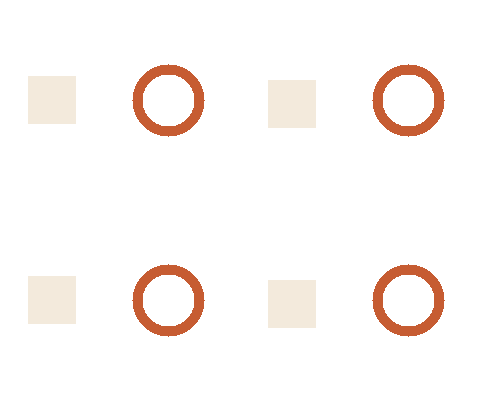
Index 0 is transparent, and disposal is 2, so this file stores no charcoal yard. The cream block is 48 pixels wide. It drops 4 pixels and returns. The rust ring stays. The picture is 240 by 200. Each of the four frames waits 18 hundredths of a second. This file is 3,067 bytes.
Put the GIFs in a grid
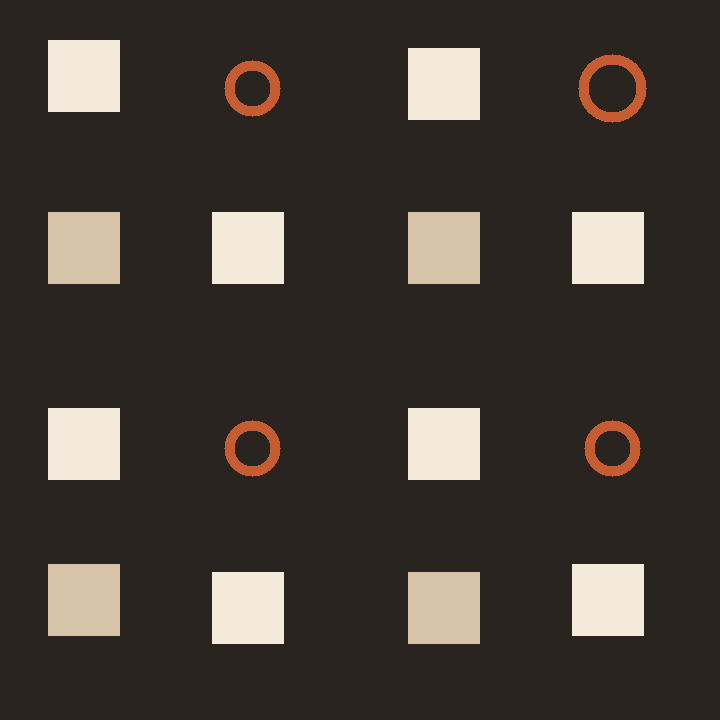
Grid gives every GIF the same cell. Four marks sit in two columns on a 360 by 360 yard. One cell holds a rust ring. The others hold a cream block or a sand block. Each frame waits 14 hundredths of a second. This file is 5,703 bytes. Auto columns is the square root of the count, rounded up. Two GIFs use two columns. Four use two. You can force 2 or 3. The gap is the same number of pixels across and down.

Force three columns
Three columns put three GIFs in one row. A cream block, a rust ring, and a sand block share a 540 by 140 yard. Each frame waits 10 hundredths of a second. This file is 4,449 bytes. Choosing 3 uses three columns even when Auto would use two. A count of three with Auto uses two columns, so the third GIF drops to the next row. This sample is the three-column choice.


Center a smaller GIF in the cell
A small GIF sits in the middle of a taller cell. The cream block is centered beside a large rust ring on a 400 by 280 yard. Each frame waits 16 hundredths of a second. This file is 5,361 bytes. Side by side keeps each GIF's own width and lines them up on the tallest height. Grid uses the widest width and the tallest height for every cell, then centers the picture inside it. Spare pixels stay transparent in the file the tool writes. This sample paints the spare charcoal so the cell can be seen.
Let the shorter GIF loop
The shorter GIF keeps looping. The cream block hops between two places while the rust ring takes six steps across a 480 by 160 yard. Each frame waits 8 hundredths of a second. This file is 4,705 bytes. Side by side and grid share one clock of 10 hundredths of a second. The join lasts as long as the longest GIF, once. A shorter GIF starts again. The result stops at 120 frames. Sequence does not share that clock. It plays each GIF through, in the order of the list.
How to merge GIFs
- Add the GIFs. Add up to eight GIFs. The list order is the join order.
- Pick a layout. Sequence plays them one after another. Side by side makes one row. Grid fills cells.
- Set the gap. Sequence inserts a pause. Side by side and grid insert pixels between the GIFs.
- Download the GIF. Apply writes the preview. Download saves a copy on your device.
Questions about merging GIFs
How is GIF Merger different from GIF Maker?
GIF Maker turns still photos into frames, and a GIF dropped there keeps only its first frame. GIF Merger keeps every frame of each GIF and joins those animations. The download stays on your device.
What does the gap change?
On Sequence the gap is time, up to 1.00 second, and it becomes one transparent frame between GIFs. On Side by side and Grid the gap is 0 to 64 pixels between the pictures. The 2,915-byte loop shows the empty hold. The 4,146-byte loop shows a sand gap in the pixels.
What if the GIFs are not the same length?
Side by side and Grid play until the longest GIF finishes once. A shorter GIF starts again. The shared wait is 10 hundredths of a second, and the result stops at 120 frames. Sequence plays each GIF through, with its own waits, and refuses the join if that runs past 120 frames.
How many GIFs can you join?
Eight GIFs is the maximum. Each one can have 60 frames, must be 20 MB or smaller, and must stay within 4,096 pixels on an edge. The joined picture has the same edge limit. One GIF past 60 frames is refused.
Where do the files go?
Merging runs in this browser. The GIFs are not sent to GIF Crate unless you choose Share link. Apply writes the preview you have open. Download saves a separate copy.
Related tools
- GIF Maker
Turn PNG, JPEG, or WebP pictures into one GIF in this browser.
GIF Merger
Join GIFs in order, side by side, or in a grid in this browser.
- GIF Resizer
Crop or pad every frame with a window in this browser.
- GIF Cropper
Cut one rectangle out of every frame in this browser.
- GIF Compressor
Make the file smaller in this browser. The picture stays the same size.
- GIF Rotator
Turn or flip every frame in this browser.
- GIF Speed Changer
Play every frame faster or slower in this browser.
- GIF Reverser
Play the loop backwards in this browser.
- GIF Background Remover
Clear one background color in this browser.
- Typing Text GIF Maker
Type a line into a GIF in this browser.
- GIF Frame Extractor
Save each frame as a PNG in one ZIP, in this browser.